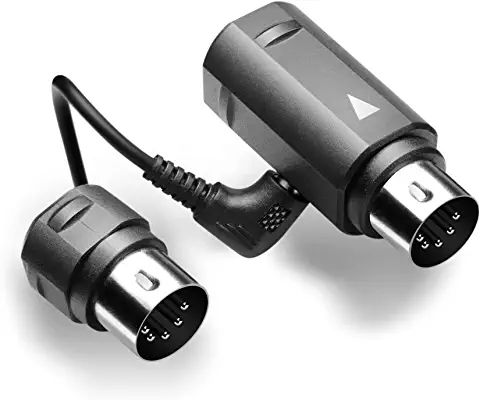
The instructions for setting up WIDI Master are very comprehensive, and can be downloaded here. It may a very good idea to read this document thoroughly before proceeding further, as I didn't, and got myself into a mess as a result. There is a very, very tiny button on the main part of the adapter, which usually does not need to be touched, and there is a warning about doing so. Nevertheless, when I could not get the adapter to pair with my iPhone, I pressed the dangerous button, for too long, and ended up with red then green flashes and finally a continuous green indication - showing that I had put the device into firmware update mode. Frantic reading of the instructions, and with advice given - very quickly I must say - by CME - the suppliers of the adapter - I installed the WIDI App, and used it to update the firmware to get the device back to 'ready to pair'.
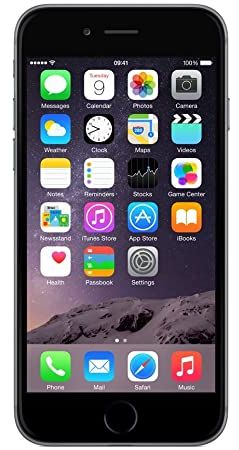
What I had failed to notice was that Apple has a different approach with Bluetooth to normal devices, and that pairing is NOT done DIRECTLY under Settings/Bluetooth on the iPhone, although the adapter does appear under My Devices after Sweet MIDI has done its job.
Pairing with Sweet MIDI
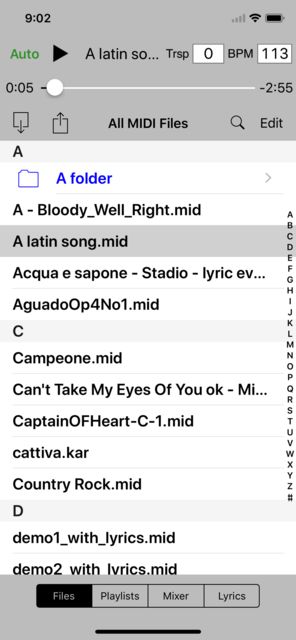
So, ignoring the tiny button and doing it the correct way, with the organ switched on and the adapter slowly flashing blue, and with Bluetooth ON on the iPhone, I returned to Sweet MIDI and selected Settings - visible with the iPhone sideways - and scrolled down to SOUND. For Output Type, I selected Core MIDI, and – after going back to the previous screen - selected MIDI Output. Under Bluetooth MIDI, I clicked Devices and WIDI Master Bluetooth which showed as an option when it was found - then enabled pairing. Returning to the previous screen I selected WIDI Master Bluetooth - which became ticked.
The system was now ready for use, and I could select tunes from the Sweet MIDI Files list, to play individually, in sequence, or repeatedly - depending upon what options I chose in the Settings menu - which I still could only access with the iPhone sideways. The Help function (also only visible with the iPhone sideways) detailed these and lots of other functions available, such as Playlists, tempo changing and transposing. Everything appeared to be very stable while I experimented with transferring and playing more files over the following couple of hours.
When using the system another time, I found it best to spend a few seconds using the 'Forget this device' routine in the phone's Settings/Bluetooth screen for WIDI Master to clear away any previous pairing. It then takes only a few more moments to repeat the Pairing sequence described above.
Pairing with Sythesia
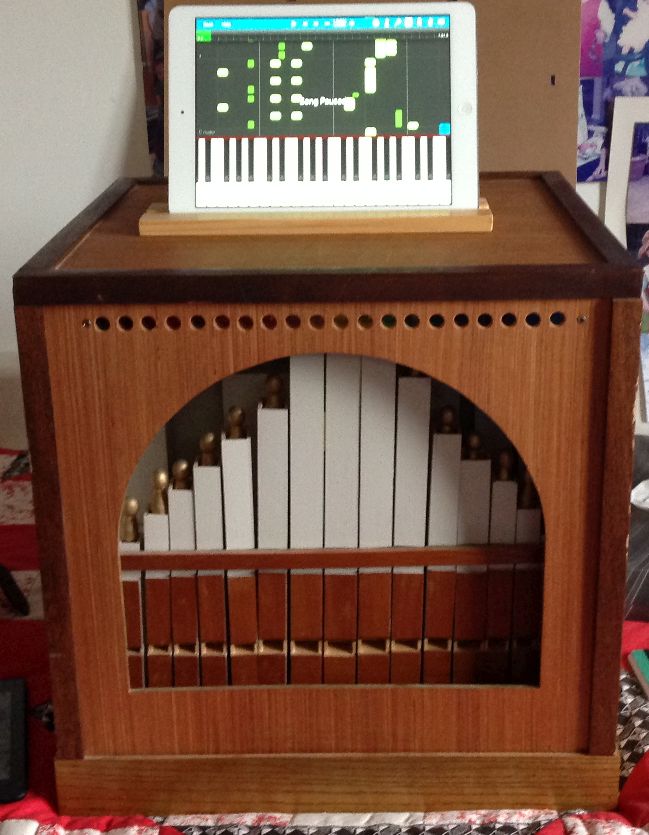
I downloaded the app MIDI+BTLE from Google Play, set Bluetooth ON on the Android, and powered up the organ so that WIDI Master was slowly flashing blue. Running MIDI+BTLE to scan for Bluetooth devices, it found WIDI Master, and I was able to pair with it. Leaving MIDI+BTLE running, after starting Synthesia, I selected Settings and Music Devices, then scrolled down to Music Output, where WIDI Master was showing. (I left the Built in MIDI Synthesiser at Everything until later so that I could initially check if files were actually playing). I selected WIDI Master and picked 'Send output to this device'. I also scrolled down to MIDI Channel and selected Channel 1. There is a TEST button at the bottom right of this screen which will play a tune (if one has already been selected?), so after using this I could step back and turn off the Built in synthesiser as the organ solenoids actually did 'rattle'!
Failure to Pair correctly
Occasionally, when starting afresh or some other fiddling with the iPhone - e.g. playing with Cakewalk - I found that although the WIDI Master showed a solid blue indication, signals did NOT get through to the organ. As detailed in the downloadable Instruction Sheet mentioned previously I worked out that the best solution was to switch off the organ, stop Sweet MIDI, go to Bluetooth in the iPhone's /Settings, turn it OFF for five seconds and then back ON. Then tap the p symbol to the right of WIDI Master and 'Forget this Device' & 'Forget Device'. Switching the organ back on, re-starting Sweet MIDI and running the Pairing sequence above then usually restored correct working. This takes longer to read than to do!
Similarly, redoing the startup sequence for the Android cleared up and lack of communications between the phone and organ.
If you are starting a new session after running one previously, or if connecting to WIDI Master just will not happen despite it being found, then do be sure to use the 'Forget this device'/'Unpair' routine in the settings/Bluetooth screen for the device that you are using to connect with Bluetooth to clear away any previous pairing info' that may be causing problems. In fact, I found that doing this every time I started a playing session was well worth the few seconds involved.