Using a Palm Vx/m500 to Store/Play MIDI files
Updated - April 2020
UPDATE Having been persuaded by John Smith to make a 20-note MIDI Busker organ to replace my Topsy - which was becoming too heavy for me to manage - I again looked at using a Palm device for music storage. This time I started with a m515 instead of a Vx as it is more easily connected to a PC using USB, is therefore also faster at uploading music files, and can use an SD card for even more storage.
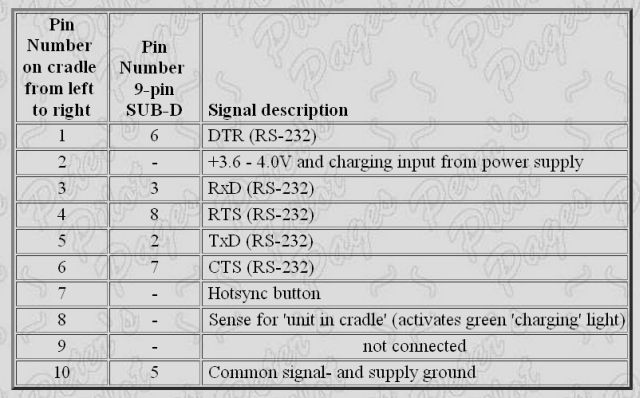
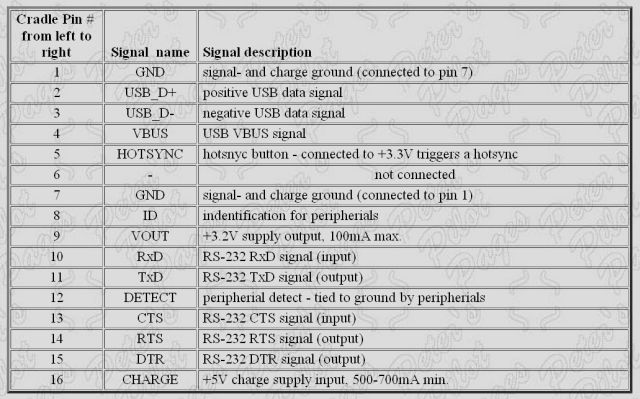
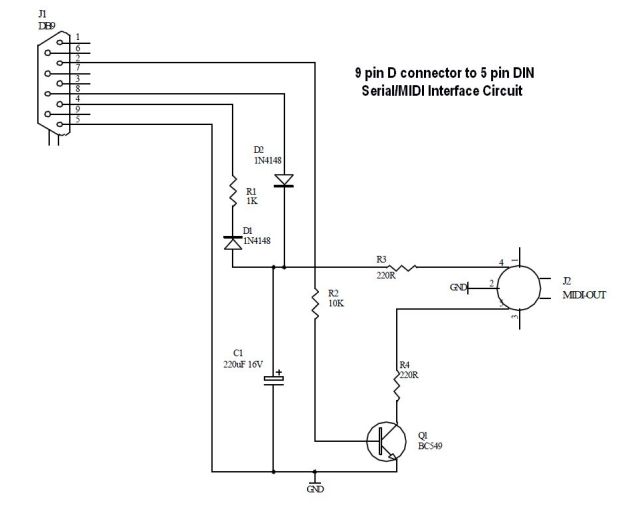
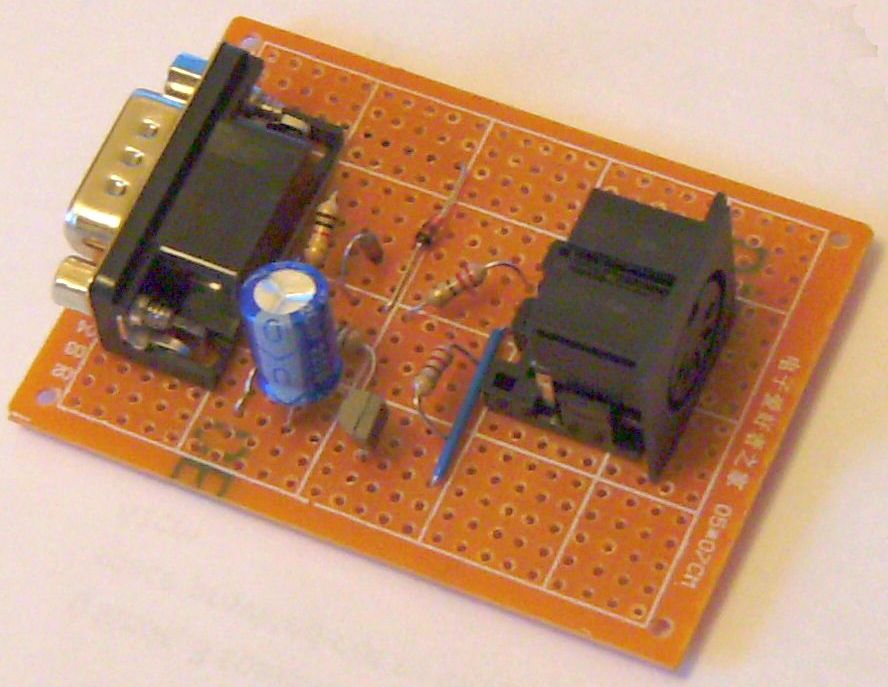
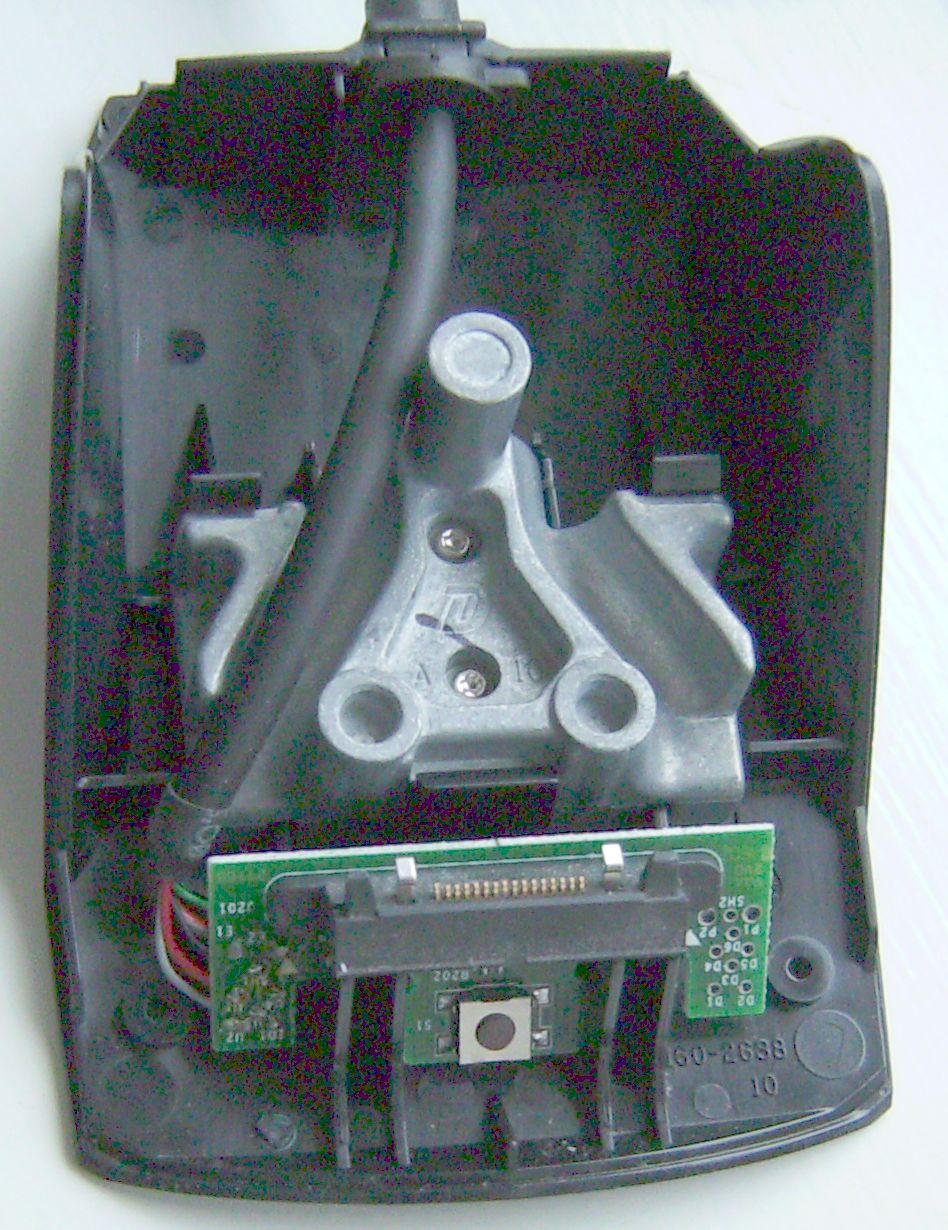
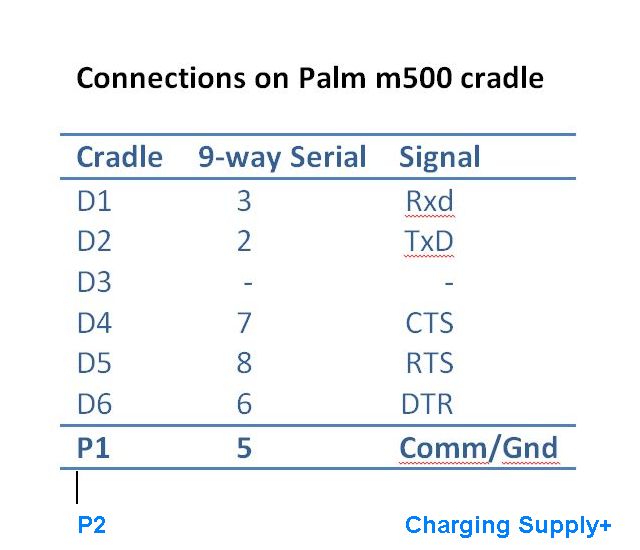
The only problem was to get a USB to MIDI interface - which, as before, I could not find. Investigation of the innards of the m500 series cradle revealed that Serial connections are still available as well as those for USB, so the same Serial/MIDI converter can be used for connecting to an organ, whilst the USB connection is available for the PC.
Having got the system to work, I decided to update this page to improve and correct previous details about the m500 series.Update April 2020 - Added Test MIDI with Anvil Studio
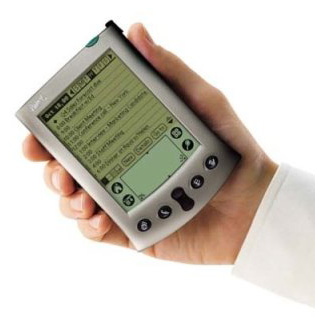
This article was originally written to explain how a Palm Vx can be used to play music on John Smith's Topsy organs, but the same setup can be used for any system needing to run MIDI files. The Palm Vx is a PDA – or Personal Data Assistant – normally used for storing an appointments diary, notes, addresses and the like.
It has now been overtaken in the PDA world by much more up-to-date and sophisticated devices such as the BlackBerry, and even by mobile ‘phones. As a result, fully-working second-hand Vx's and m500's are freely available - at very cheap prices - on E-Bay.
The Vx has 8Mb of memory installed, but as the MIDI file for a single piece might be only 20kb, it can store hundreds of tunes. Some of the m500 series have larger inbuilt memories, and can also store more files on replaceable SD cards.